
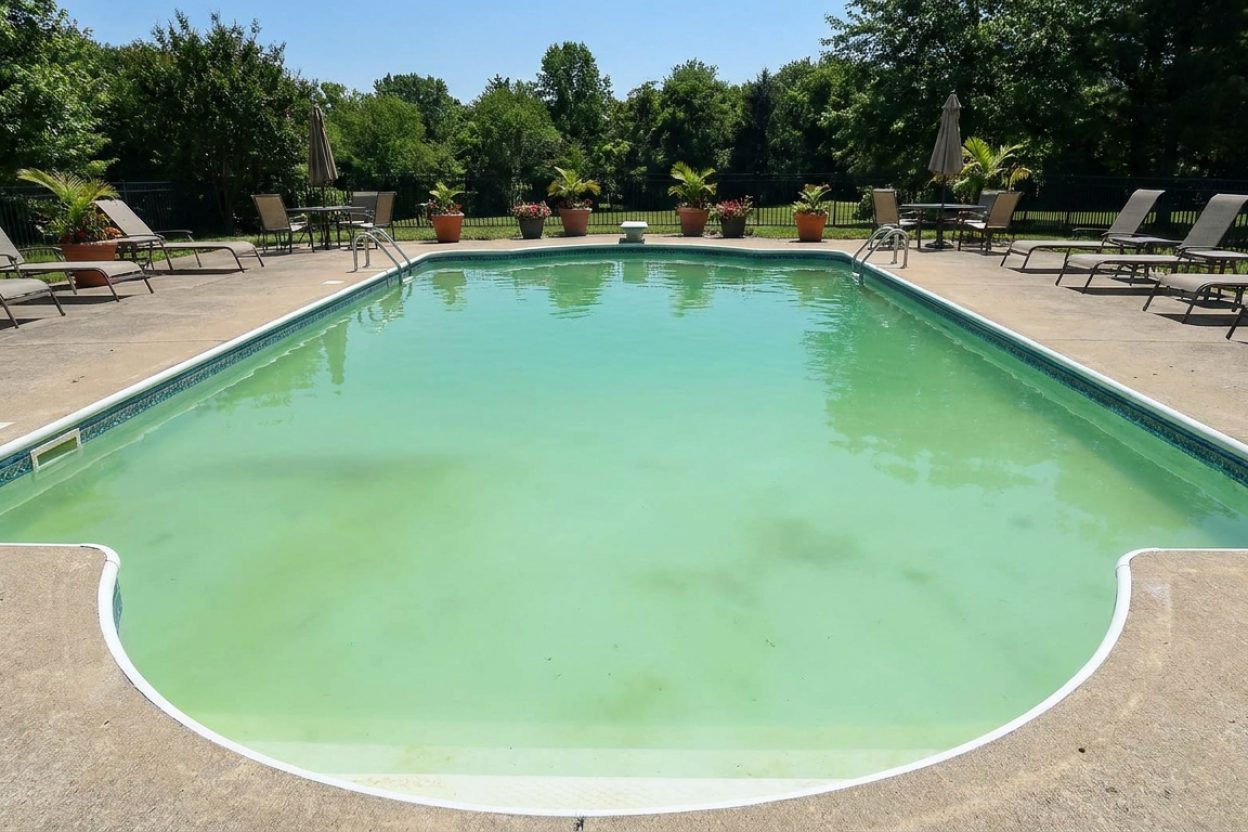
Do Pool Covers Cause Algae? Prevention & Solutions Guide

Pool cover making my algae problem worse - what's going on?
Read full question
Last month I moved into a house and discovered the previous owner's pool cover routine left me with constant algae blooms despite maintaining proper chlorine levels. I've been dumping shock and algaecide like crazy, but it keeps happening whenever I cover the pool.
Is the cover actually causing this algae growth? I thought covers were supposed to help keep pools clean, but mine seems to be doing the opposite. What am I missing here? There has to be a way to use a cover without turning my pool into a green swamp every week.
Quick Answer
Pool covers don't directly cause algae. The real risk is that they trap heat and reduce surface circulation - warm, stagnant water grows algae faster and burns through chlorine quicker. (Blocking UV actually helps chlorine last longer, not shorter.) Keep FC scaled to your CYA and run the pump enough to avoid dead spots. Maintain proper chlorine levels (4-6 ppm for CYA 30-50) and consider removing covers periodically to prevent issues.
Why Pool Covers Promote Algae Growth
Pool covers create several conditions that make algae outbreaks more likely, even though they don't directly "cause" algae. Understanding these factors helps you prevent problems before they start.
Trapped Heat and Reduced Circulation
While cyanuric acid (CYACyanuric Acid (stabilizer) — Sunscreen for your chlorine — it keeps sunlight from burning it off. The catch: the more you have, the more chlorine you need to keep. learn more →) protects chlorine from UV degradation, sunlight's UV actually destroys chlorine, which is why open pools lose chlorine fast. A cover blocks most of that UV and helps chlorine last longer. The reason covered pools can still go green is the trapped heat and reduced circulation, which raise algae growth and chlorine demand - so keep FCFree Chlorine — The chlorine actively sanitizing your water right now. This is the number you keep an eye on. how much you need → in range and circulation strong.
Reduced Water Circulation
Even with your pump running, covers create dead spots where water movement is minimal. Algae thrives in stagnant water, especially in corners and steps where circulation is naturally poor. These areas become algae breeding grounds under covers.
Temperature and Humidity Effects
Covers trap heat and create a humid microenvironment that algae loves. Solar covers are particularly problematic because they're designed to heat the water. Higher temperatures accelerate algae growth.
Preventing Algae Under Pool Covers
Maintain Higher Chlorine Levels
When using any pool cover for extended periods, keep your target free chlorine scaled to your CYA—about 4-6 ppm for CYA 30-50 (a stabilized pool needs more than the 1-3 ppm cited for unstabilized water). Test chlorine levels every 2-3 days rather than weekly. Use liquid chlorine or cal-hypo for additions - never use trichlor tabs as your primary sanitizer as they add too much CYA over time.
Check Your CYA Levels
Cyanuric acid should stay around 30-50 ppm for liquid-chlorine pools, but salt water generator pools need higher CYA, about 70-80 ppm, to run efficiently. Higher CYA requires proportionally higher chlorine levels. Use the FC/CYAFC/CYA chart — The chart that sets your chlorine target from your stabilizer (CYA) level — the two go together. see the chart → relationship — our all-in-one pool calculator estimates the free chlorine target for your CYA — then add 1-2 ppm extra when covered.
Run Your Pump Longer
Increase pump runtime by 2-4 hours daily when your pool is covered. This extra circulation helps prevent dead spots where algae can establish. If you have a variable speed pump, consider running it on low speed for extended periods rather than high speed for shorter times.
Remove Covers Periodically
Pull back your cover for 4-6 hours every few days, especially during warm weather. This allows UV rays to assist chlorine and helps off-gas chloramines that build up under covers. It also lets you brush the pool surface and check for early signs of algae.
Different Cover Types and Algae Risk
Solar Covers (Highest Risk)
Solar bubble covers create the perfect storm for algae: maximum heat retention, complete UV blockage, and tight surface contact. If you use solar covers regularly, test water chemistry every other day and maintain FC at 4-6 ppm minimum.
Safety Covers (Moderate Risk)
Mesh safety covers allow some water and air circulation but still block UV rays. They're less problematic than solar covers but require attention during warm months. Solid safety covers with pumps create conditions similar to solar covers.
Automatic Covers (Variable Risk)
Risk depends on usage patterns. Daily opening and closing isn't problematic, but leaving automatic covers closed for weeks creates the same issues as solar covers. The advantage is you can easily open them for a few hours daily.
What to Do If Algae Appears
If you discover algae growth under your cover, remove the cover immediately and begin the SLAMShock Level And Maintain — raise free chlorine to a target based on your CYA and hold it there until the algae is gone. It's a process, not a one-time dose. the SLAM walkthrough → process (Shock Level And Maintain). Don't replace the cover until you complete SLAM and maintain shock level chlorine for 24 hours with clear water.
- Remove the cover completely and clean it with diluted liquid chlorine solution
- Test FC, pH, and CYA levels immediately
- Adjust pH to 7.2 or below using muriatic acid for maximum chlorine effectiveness
- Calculate shock level based on your CYA using the FC/CYA chart and add liquid chlorine to reach that level
- Brush all pool surfaces thoroughly, especially areas that were covered
- Run pump continuously until water clears
- Test FC every 12 hours and maintain shock level until combined chlorine (CCCombined Chlorine — "Used-up" chlorine left over from doing its job. Above about 0.5 ppm is the classic sign water needs a shock. learn more →) is 0.5 ppm or less and you pass an overnight chlorine loss test
Long-Term Cover Management Strategy
The key to using pool covers without algae problems is balancing the benefits of covering (heat retention, chemical savings, debris protection) with the need for water quality maintenance. Develop a routine that includes regular testing, higher chlorine targets, and periodic cover removal.
Consider seasonal adjustments - covers are less problematic in cool weather when algae growth slows. During summer months, you might use covers primarily at night and remove them during peak sun hours. This gives you most of the benefits while minimizing algae risk.
Remember: Pool covers are valuable tools that save money and reduce maintenance when used properly. The key is understanding how they affect your water chemistry and adjusting your maintenance routine accordingly.
For the full breakdown of safe chlorine levels by CYA level, see our pool water chemistry guide.
 Taylor K-2006C Complete FAS-DPD Pool & Spa Test Kit
The FAS-DPD kit pool pros trust — reads chlorine accurately even at shock/SLAM levels, plus pH, alkalinity, calcium hardness and CYA. View on Amazon →
Taylor K-2006C Complete FAS-DPD Pool & Spa Test Kit
The FAS-DPD kit pool pros trust — reads chlorine accurately even at shock/SLAM levels, plus pH, alkalinity, calcium hardness and CYA. View on Amazon →
 Liquid Chlorine / Sodium Hypochlorite (12.5%)
Everyday sanitizer — the B in BBB View on Amazon →
Liquid Chlorine / Sodium Hypochlorite (12.5%)
Everyday sanitizer — the B in BBB View on Amazon →
 Poolvio 20" 2-in-1 Pool Brush Head (Walls & Floor)
Sturdy 20-inch brush head that clips onto any standard telescopic pole. View on Amazon →
Poolvio 20" 2-in-1 Pool Brush Head (Walls & Floor)
Sturdy 20-inch brush head that clips onto any standard telescopic pole. View on Amazon →
 Acid Blue - Low Fume Muriatic Acid for Swimming Pools & Spas - Lower's pH, Reduces Alkalinity - 2 Gallon
View on Amazon →
Acid Blue - Low Fume Muriatic Acid for Swimming Pools & Spas - Lower's pH, Reduces Alkalinity - 2 Gallon
View on Amazon →
Still need help? Ask a Pool & Spa Expert AD
Get a personalized answer from PoolGuy810 — 30 years owning a pool and spa repair company. Describe your issue and get step-by-step help.
Related Pool Guides
Need More Help?
Try our free pool calculators and tools to help diagnose and fix your pool problems.
Browse Pool ToolsSLAM calculator, pH calculator, salt dosing & more